×

Error

[sigplus] Critical error: Insufficient file system permissions to create the folder root/cache/preview.

Print

[sigplus] Critical error: Insufficient file system permissions to create the folder root/cache/preview.

First Customer has to install the AYA Mobile Application

၁။ AYA mBanking 2.0 သို့ဝင်ရန် နှိပ်ပါ။

{gallery height="350px" }ayamobile2022/aya_01.jpg{/gallery}

၂။ Username နှင့် Password မှန်ကန်စွာဖြည့်ပြီး Login ကို နှိပ်ပါ။

{gallery height="350px" }ayamobile2022/aya_002.jpg{/gallery}

၃။ ပင်မစာမျက်နှာမှ Bill Payment အားရွေးခြယ်ပါ။
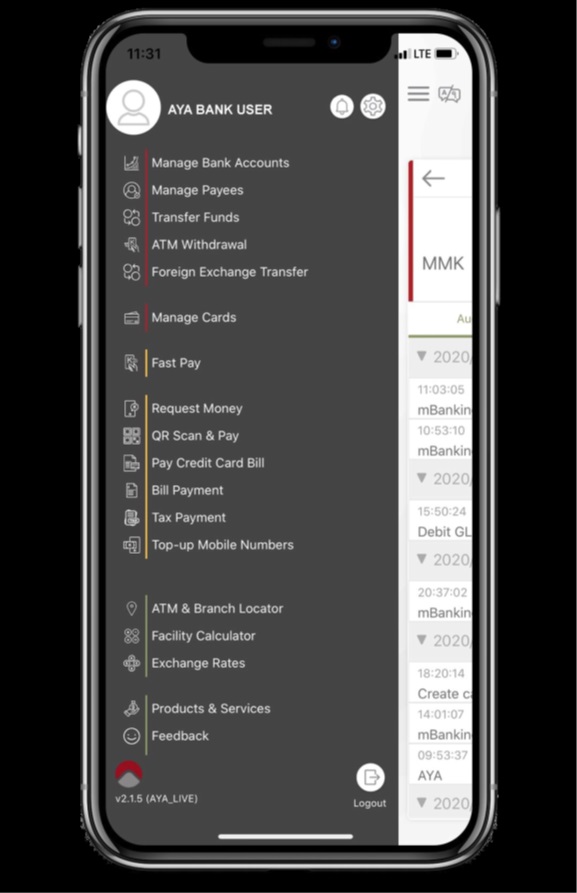
{gallery height="350px" }ayamobile2022/aya_003.jpg{/gallery}

၄။ ထိုနေရာတွင် "Aeon Microfinance" ရိုက်ထည့်ပါ သို့မဟုတ် ရှာဖွေပါ။
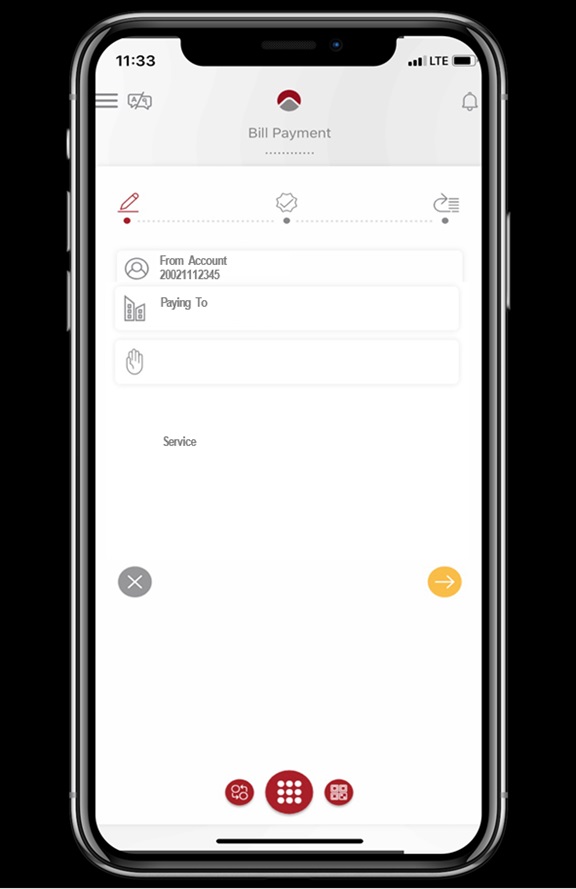
{gallery height="350px" }ayamobile2022/aya_004.jpg{/gallery}

၅။ ID, Depositor Name တို့ကို သတ်မှတ်ထားသော နေရာတွင်ရိုက်ထည့်ပါ။
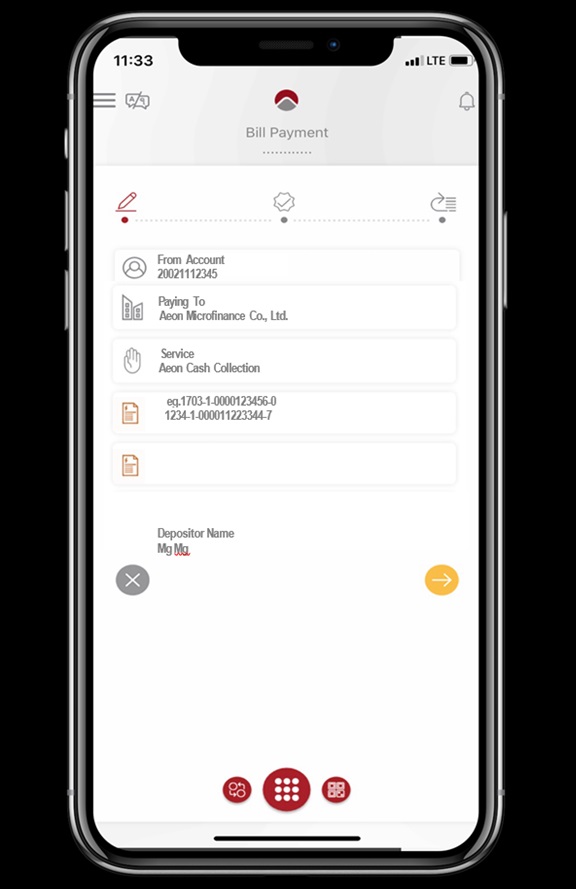
{gallery height="350px" }ayamobile2022/aya_005.jpg{/gallery}

၆။ ပေးသွင်းရမည့် ငွေပမာဏကို ရိုက်ထည့်ပါ။
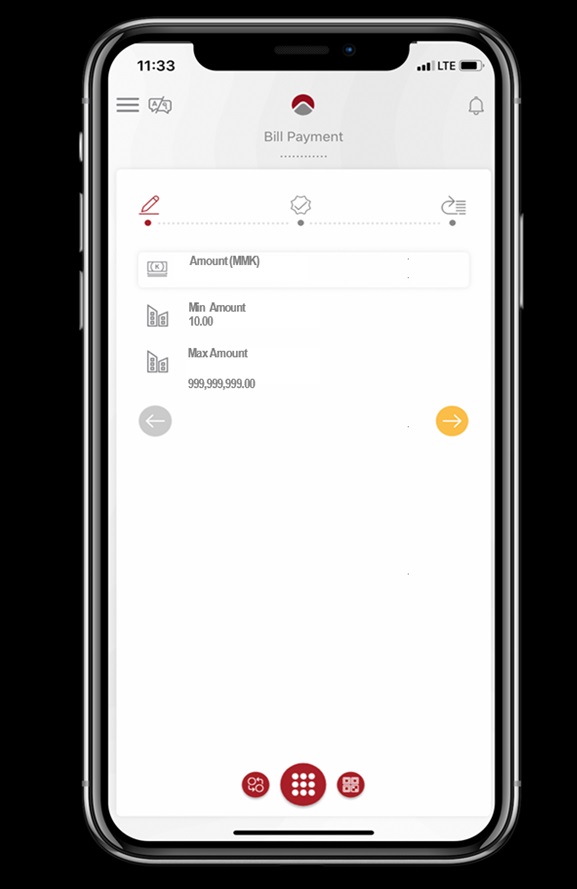
{gallery height="350px" }ayamobile2022/aya_006.jpg{/gallery}

၇။ ဖြည့်စွက်ထားသော အချက်အလက်များ မှန်မမှန်စစ်ဆေးပြီး မှန်ကန်ပါက နောက်တဆင့်သို့သွားပါ။
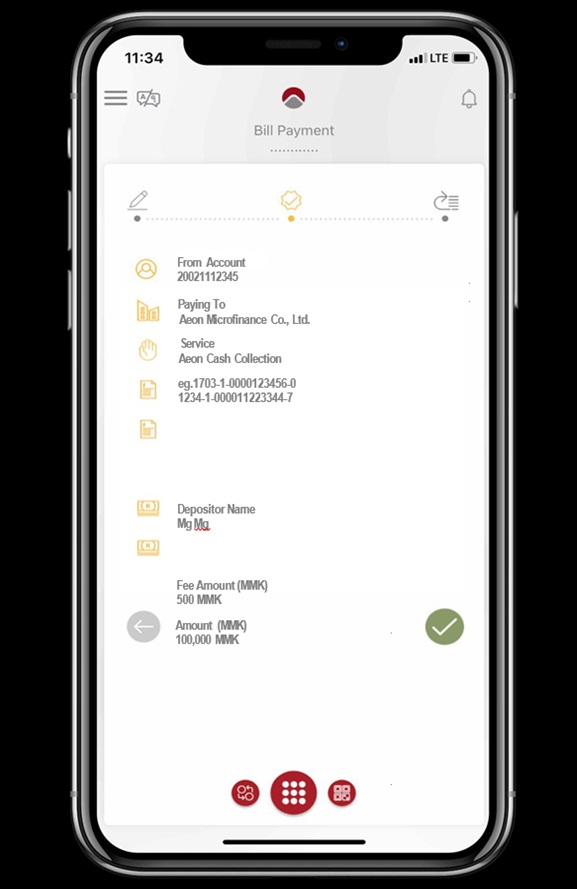
{gallery height="350px" }ayamobile2022/aya_007.jpg{/gallery}

၈။ "Click to request OTP via SMS" ထိုနေရာ အားနှိပ်ပြီး OTP နံပါတ်အားတောင်းဆိုပါ။ ထို့နောက် ရရှိသော OTP နံပါတ်အား ရိုက်ထည့်ပြီး "Submit" နှိပ်ကာ ငွေပေးချေမှုအားပြုလုပ်ပါ။

{gallery height="350px" }ayamobile2022/aya_008.jpg{/gallery}

၉။ ငွေပေးချေမှု အောင်မြင်စွာ ပြီးဆုံးပါသည်။ ကျေးဇူး အထူးတင်ရှိပါသည်။
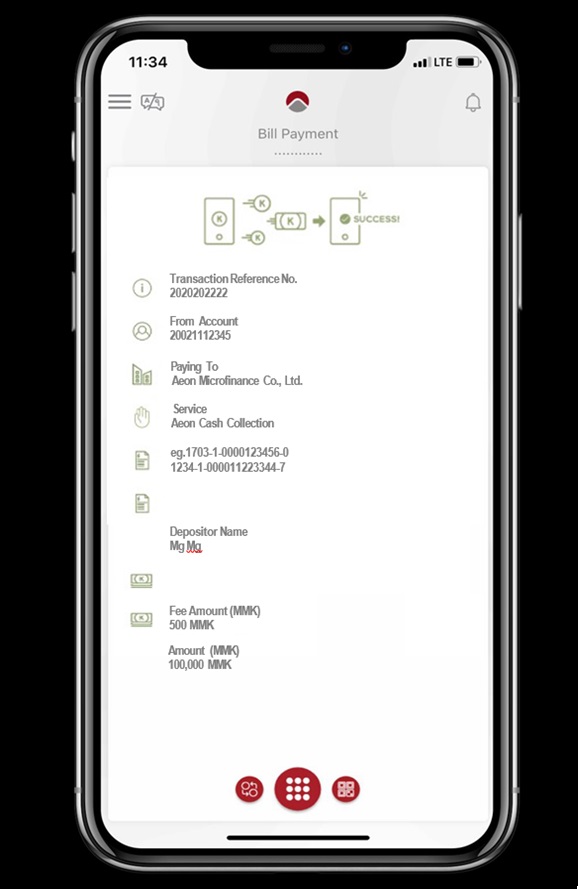
{gallery height="350px" }ayamobile2022/aya_009.jpg{/gallery}