
Near Me Application
Near Me Application
First Customer has to install the Near Me Application.
 1. First Customer has to install the Near Me Application
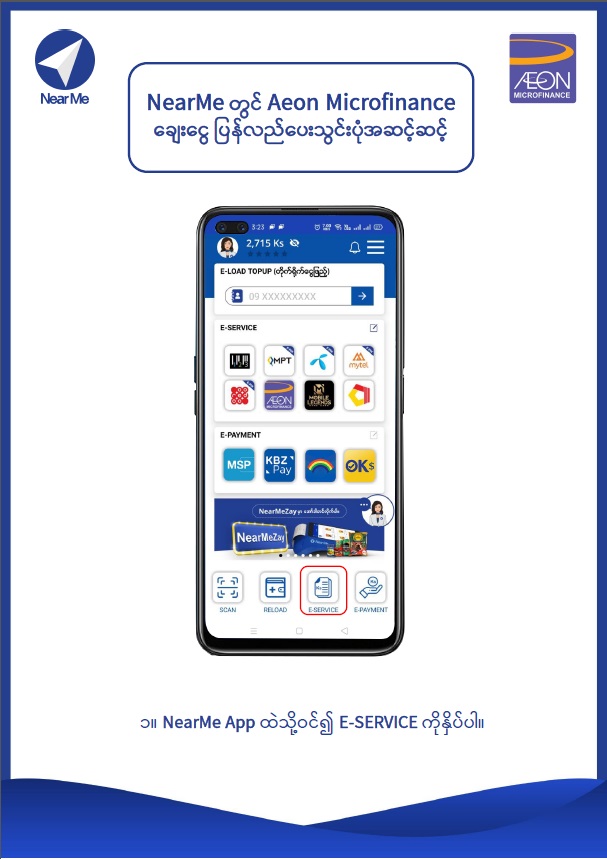 2. Log in NearMe application and click on "E-SERVICE".
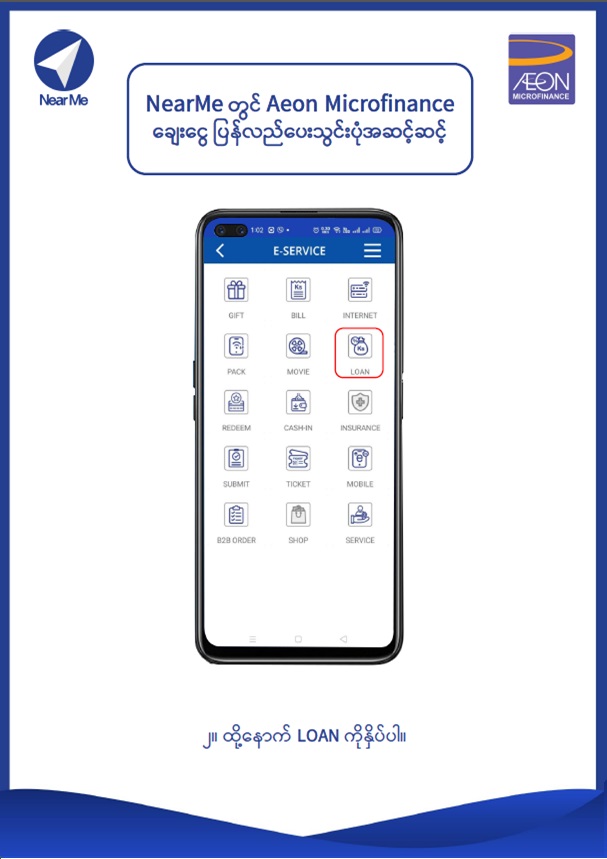 3. Click on "LOAN" icon.
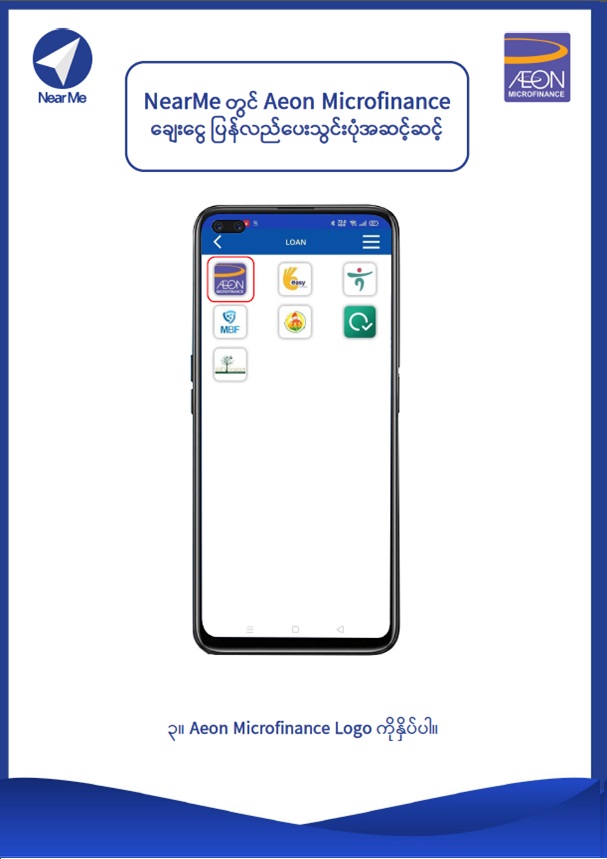 4. Click on AEON Microfinance logo.
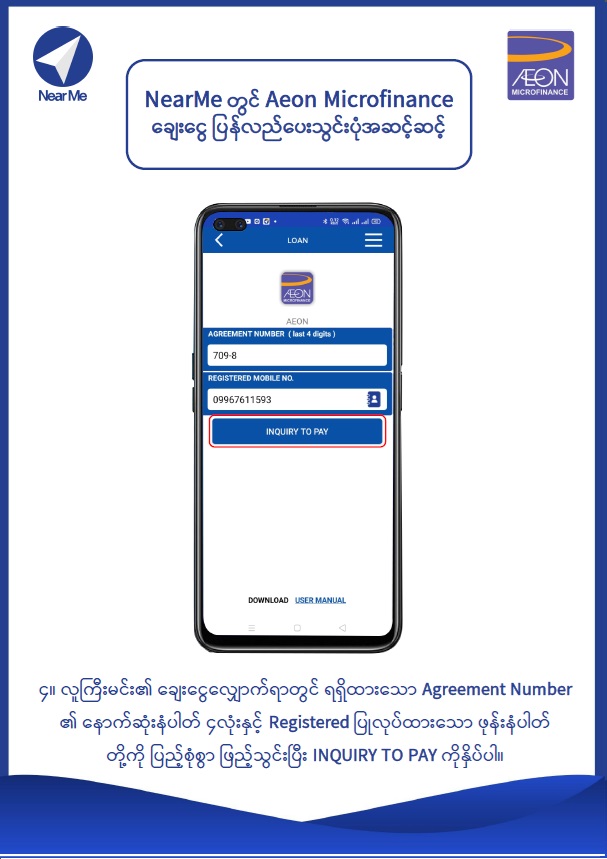 5. Enter the Last 4 Digits of Agreement Number and Registered Phone number that AEON has sent to you and press "INQUIRY TO PAY".
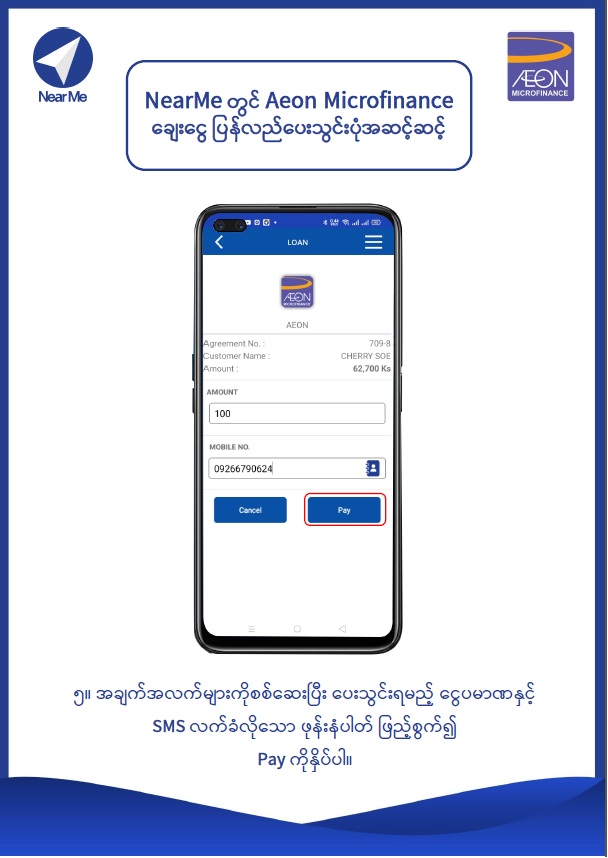 6. Check the information you have provided and enter Receive SMS phone number and press "Pay".
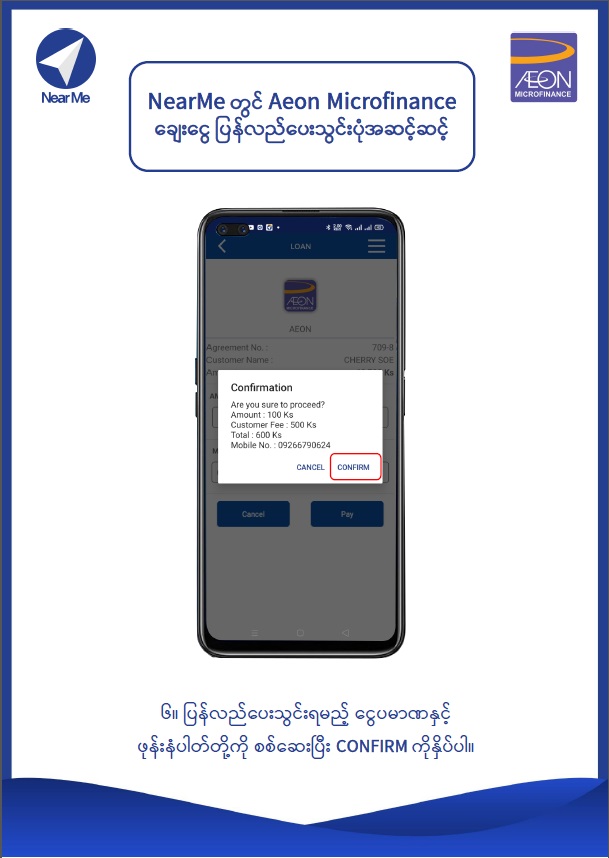 7. Check the amount and phone number then press "CONFIRM".
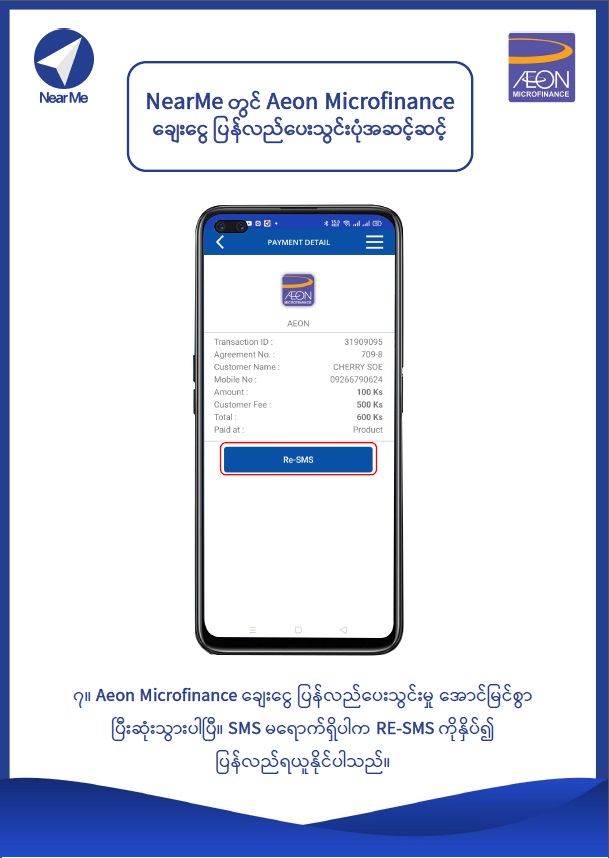 8. You have successfully completed AEON loan repayment task. If you don't receive a confirmation SMS to the phone number you have provided, please click on "RE-SMS"
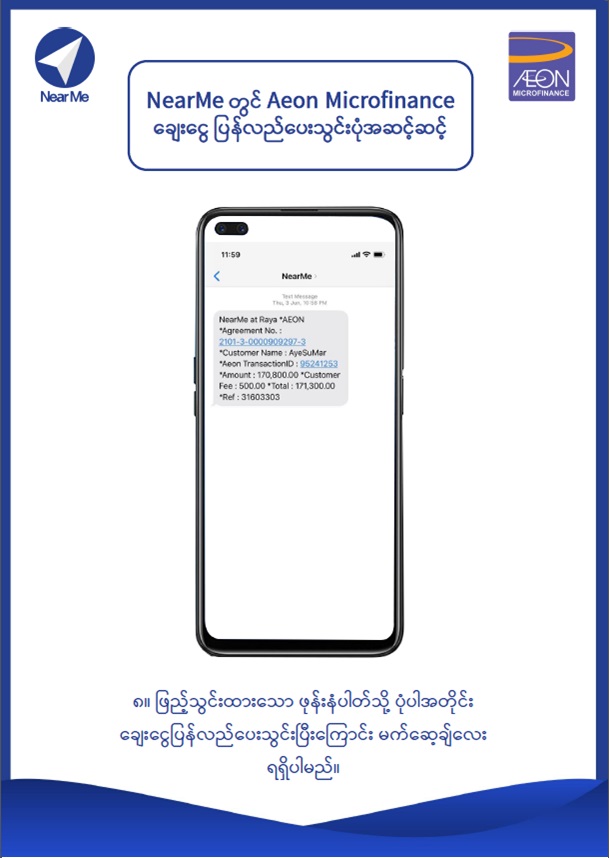 9. You will receive message to the entered phone number .
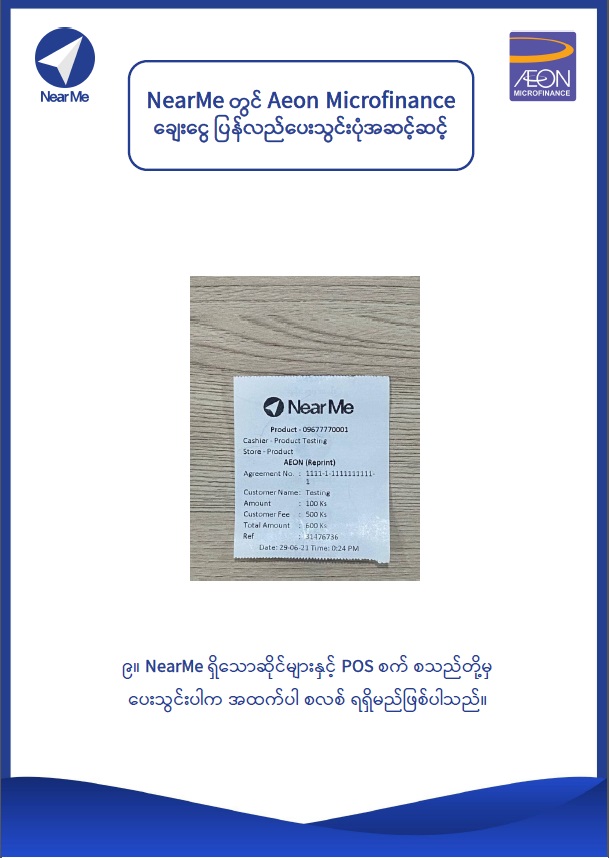 10. If you pay from NearMe stores and POS , you will receive the pay slip .